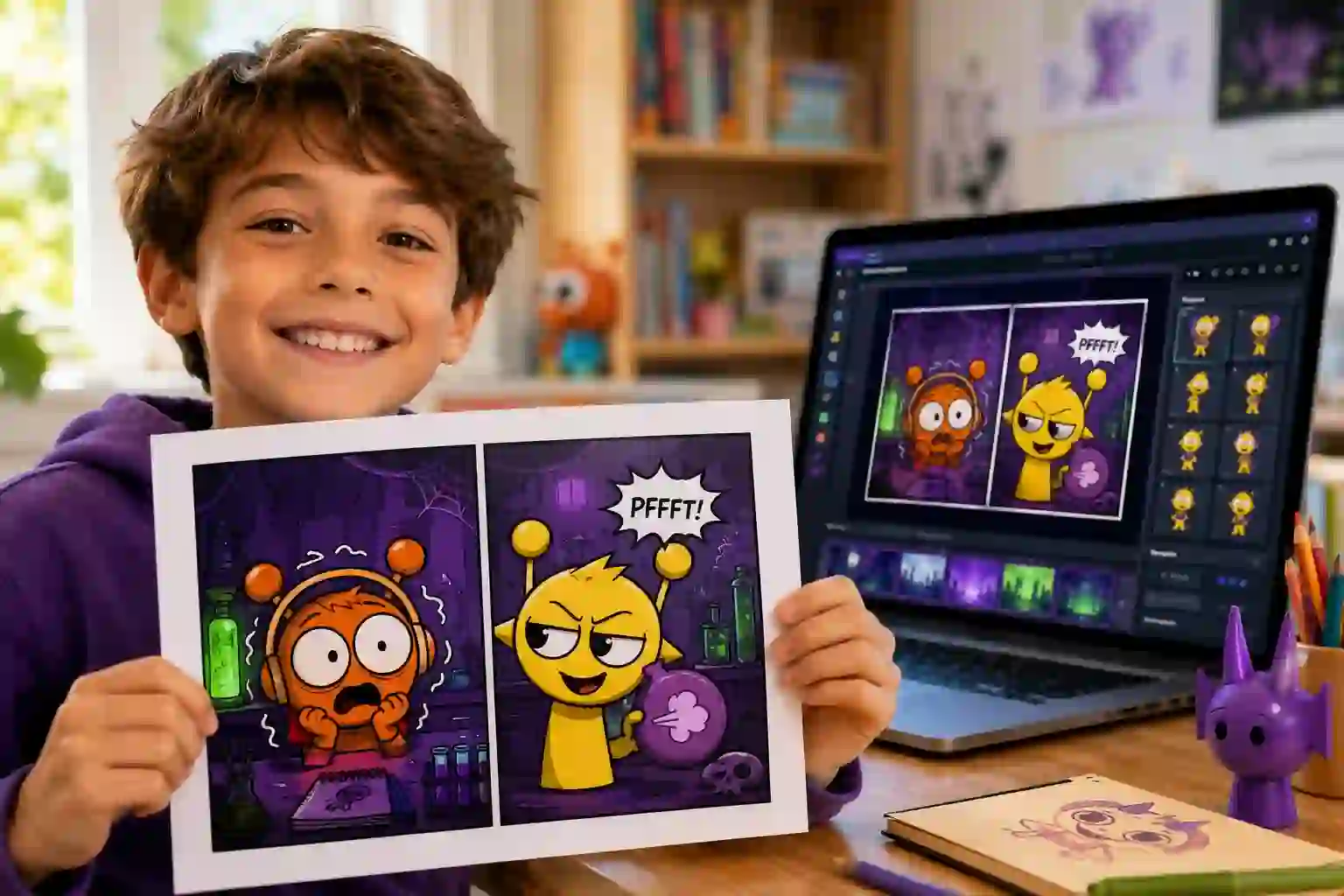
Sprunki Comic Studio: Your Ultimate Creative Playground
Staring at a blank comic page kills your creative spark. You adore Sprunki’s cast—the groaning Oren, the mischievous Simon—but can’t draw them. Sprunki Comic Studio hands you a pre-built universe of characters, poses, and props. In minutes, you arrange entire comic strips without touching a pencil. Here’s how to master it.
What Is Sprunki Comic Studio?
Sprunki Comic Studio is a free, browser-based comic maker built for fans of the Sprunki Incredibox mod. It gives you a drag-and-drop canvas, a full library of Sprunki characters, and dozens of expressive poses. You don’t need drawing skills or software downloads. The tool turns your story ideas into shareable comic panels in minutes. Each character comes straight from the Sprunki universe, keeping the quirky, slightly eerie style intact.
The official Sprunki Comic Studio site updates its asset library regularly, adding new backgrounds and seasonal props. Kids, fan-art creators, and educators use it to build visual stories without friction. It runs entirely in your web browser and saves your work locally, so nothing gets lost.
How Sprunki Comic Studio Connects to Incredibox
Sprunki started as a fan-made Incredibox mod that swapped the cheerful beatboxers for horror-tinged characters with unique sound loops. The mod exploded in popularity, and the characters—Oren, Simon, Wenda, Gray, Brud, and others—built a dedicated fanbase. Sprunki Comic Studio takes those same characters off the music stage and places them into a storytelling engine.
Instead of mixing beats, you mix panels. The tool preserves the original art style and distinct personalities of each character. You can create comics that expand the Sprunki lore, craft parodies, or invent completely new adventures. This direct lineage from Incredibox gives the studio an authentic, instantly recognizable flavor.
Key Features That Make Sprunki Comic Studio Stand Out
Sprunki Comic Studio packs several tools that simplify comic creation. Here’s a quick breakdown:
| Feature | What It Does |
|---|---|
| Character Library | Over 20 Sprunki characters, each with 8–15 unique poses and facial expressions. |
| Drag-and-Drop Canvas | Move, resize, and layer characters, props, and speech bubbles with one click. |
| Background Chooser | Pick from haunted labs, city streets, dark forests, or upload a custom solid color. |
| Speech & Sound Effect Bubbles | Add dialogue, whispers, shouts, and iconic Sprunki sound-effect words. |
| Panel Manager | Create multi-panel strips by cloning, reordering, or deleting panels on the fly. |
| Local Save & Export | Save drafts to your browser’s storage and download finished comics as PNG images. |
These features remove the technical burden and let you focus on pacing, dialogue, and visual comedy. The interface stays clean enough for a 7-year-old to understand, yet flexible enough for intricate storyboarding.
How to Access Sprunki Comic Studio (No Downloads Needed)
You open Sprunki Comic Studio directly in any modern browser—Chrome, Firefox, Safari, or Edge. There’s no app to install. Visit the official website, and the studio loads instantly. A stable internet connection helps with initial asset loading, but once the page is up, you can work offline until you close the tab.
The tool also works on tablets and phones. While touch dragging feels natural, the desktop experience gives you more screen space for multi-panel layouts. Bookmark the site for quick access, and you’ll never lose your creative flow.
Step-by-Step: Creating Your First Comic in Sprunki Comic Studio
Follow these exact steps to produce your first strip. I’ve walked students as young as eight through this process, and every single one finished a comic within 15 minutes.
- Open the studio and start a blank canvas. Clear your workspace so nothing distracts you.
- Choose a background. Pick one that matches your scene’s mood—dark lab for suspense, sunny street for comedy.
- Drag a character onto the panel. Start with your main character, like Oren or Wenda.
- Select a pose and facial expression. Scroll through the pose menu under the character icon. A surprised face sets a completely different tone than a smirking one.
- Add a second character or a prop. Drop in an object—a microphone, a key, a shadowy figure—to drive the action.
- Insert speech bubbles. Click the bubble icon, type short, punchy dialogue, and place it near the speaker.
- Adjust panel timing. Add a second panel, repeat the steps, and build a sequence. Aim for a clear beginning, middle, and funny or shocking end.
- Preview your strip. Use the slideshow mode to watch your comic unfold panel by panel.
- Export. Download the final strip as a PNG or save the draft to keep editing later.
This workflow keeps momentum high and decision fatigue low.Instead of reading instructions, you learn by doing.
Mastering Character Selection and Poses
Sprunki Comic Studio thrives on expressive body language. Each character comes with poses that range from terrified and angry to goofy and triumphant. Before you write dialogue, let the pose do half the storytelling.
- Oren works best for reactions—wide eyes, open mouth, trembling hands.
- Simon oozes mischief; use his sideways glance and sly grin for troublemaker moments.
- Wenda carries a subtle intensity. Without saying a word, her intense gaze creates tension.
- Gray and Brud add bulk and menace. Place them in the background to raise stakes.
Mix poses across panels. A character who stands stiff in panel one and cowers in panel two shows a clear emotional shift. You don’t need to explain it; the visual does the work.
Adding Speech Bubbles and Sound Effects
Dialogue drives comics, but Sprunki Comic Studio gives you extra flavor through sound-effect bubbles. You can type classic words like “BOOM,” “CREAK,” or even the signature Sprunki beats as onomatopoeia. Keep text short—three to eight words per bubble works best.
Place bubbles close to the speaking character’s head. If two characters talk, angle bubbles to create a natural reading order: left to right, top to bottom. Use whisper bubbles for secrets and jagged burst bubbles for yelling. The bubble style itself tells the reader how to hear the line.
Backgrounds, Props, and Scene Building
A great Sprunki comic feels like a real place. The background library covers moody interiors, city rooftops, and eerie voids. Layer props—a flickering lamp, a spilled potion, a cracked mirror—to add depth and context.
Build your scenes with this checklist:
- One dominant background that sets the location.
- Two to three props that reinforce the action (a key on the floor, a glowing monitor).
- Consistent lighting; dark backgrounds pair with shadowy characters, bright streets with daytime poses.
Prop placement guides the reader’s eye. Put an important object near the center or place a character’s gaze toward it. This simple directing trick raises your comic’s professional feel.
Pro Tips for Storytelling in Sprunki Comic Studio
I’ve tested dozens of comic tools with students, and a few patterns separate forgettable strips from ones kids beg to print.
- Start with the punchline. Know how your strip ends before you place the first character. That keeps every panel tight.
- Limit panels to three or four. Short formats force you to cut fluff and sharpen the joke or scare.
- Use silent panels. A panel with no dialogue, just a wide-eyed stare, often gets the biggest laughs.
- Contrast poses. If one character panics, let the other stand still with a blank face. The contrast sells the comedy.
- Steal from real life. The best Sprunki comics my students made came from “what if our teacher turned into a Sprunki?” type scenarios.
These techniques work regardless of art skill. The tool handles the visuals; you handle the timing.
Saving, Sharing, and Exporting from Sprunki Comic Studio
Sprunki Comic Studio saves your drafts inside your browser’s local storage. This means you won’t lose work if you close the tab by accident, but clearing your browser data will erase unfinished comics. Export often.
To share a finished comic, download it as a high-resolution PNG. You can then post it on fan forums, print it for a classroom wall, or send it to friends. The official Sprunki community encourages sharing fan comics, as long as you credit the characters and don’t alter the original art beyond the studio’s intended use.
Safety and Community Guidelines for Young Creators
Sprunki Comic Studio is built with younger users in mind. The platform has no live chat, no comment section, and no way for strangers to contact your child through the tool. All assets stay pre-approved and free of inappropriate material.
Still, follow these guardrails:
- Export only finished comics you’re proud to show publicly.
- Never add personal information like real names or locations inside speech bubbles.
- Use the tool’s local save instead of relying on third-party cloud services.
Common Sense Media, in a 2024 review of browser-based creative tools, highlighted that sandboxed comic makers like Sprunki Comic Studio offer a safe entry point for digital storytelling. The absence of user-generated uploads keeps the experience predictable and kid-friendly.
Sprunki Comic Studio vs. Other Comic Makers: What Sets It Apart
Generic comic platforms give you blank slates and expect you to draw everything. Sprunki Comic Studio flips that model—it provides a complete, stylistically consistent character pack, so your energy goes into story, not anatomy.
| Aspect | Sprunki Comic Studio | Generic Comic Makers |
|---|---|---|
| Art requirement | None; characters and poses included | Must draw or import assets |
| Character consistency | Official Sprunki style across all panels | Mixed styles break immersion |
| Learning curve | 5 minutes to first comic | Hours learning drawing tools |
| Fan connection | Ties into Sprunki Incredibox community | No built-in fandom context |
| Cost | Completely free | Often freemium or subscription |
This focus makes Sprunki Comic Studio the best starting point for any Sprunki fan who wants to tell stories, not struggle with art software.
Frequently Asked Questions
Is Sprunki Comic Studio free?
Yes. The entire studio is free with no paywalls, ads, or premium upgrades. All characters, poses, and backgrounds come unlocked.
Can I use Sprunki Comic Studio on mobile?
Yes. It works in mobile browsers with touch controls. For longer multi-panel comics, a tablet or desktop screen gives you more comfort.
Do I need an account to save comics?
No account is required. Your drafts save directly to your browser. Export finished comics as PNGs to keep them permanently.
What Sprunki characters are available?
The library includes Oren, Simon, Wenda, Gray, Brud, and over a dozen more. Each character offers multiple emotional poses and actions.
Can I upload my own drawings?
Currently, Sprunki Comic Studio only supports the built-in asset library. This keeps the art style unified and the tool safe for all ages.
Is Sprunki Comic Studio safe for kids?
Absolutely. There’s no chat, no user-generated content upload, and no external links inside the working area. It’s a closed, creative sandbox.
Your Next Story Starts Inside Sprunki Comic Studio
You own a cast of weird, wonderful characters and a tool that removes every barrier between your idea and a finished comic. Stop waiting for drawing skills you don’t need. Sprunki Comic Studio puts the power of visual storytelling directly in your hands—drag, drop, pose, and publish. Open the studio now, build your opening panel, and give your favorite Sprunki character the spotlight they deserve. Your strip, your punchline, your audience. Make it happen.