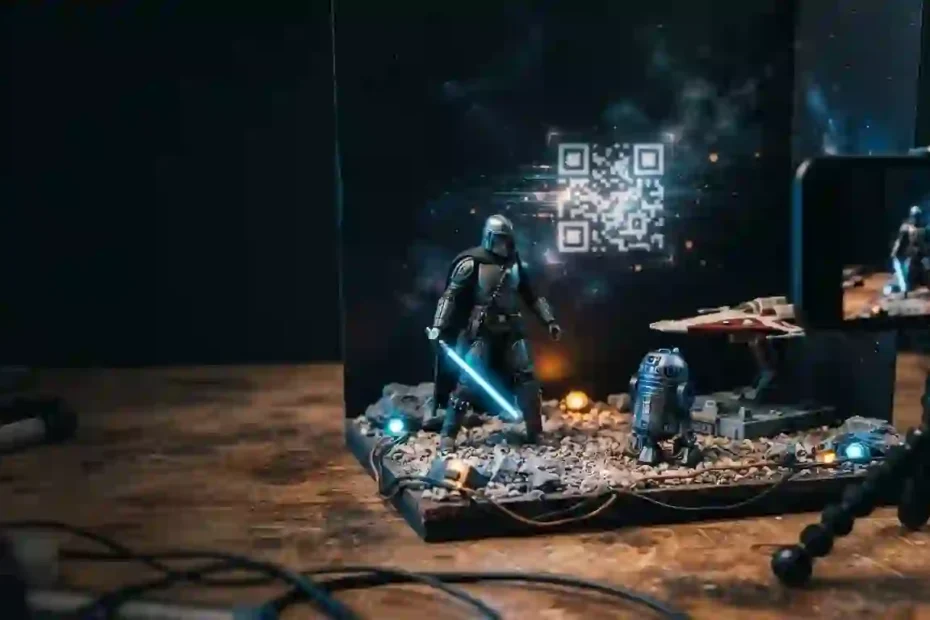
Looking for Star Wars Movie FX Maker Codes can lead you to pages promising secret text passwords, unlimited unlocks, or a fresh 2026 code list. That sounds useful, but it can send you chasing codes that were never official. The real story is simpler: Hasbro’s Star Wars Studio FX was a discontinued toy-video app, and its documented unlock method used QR effects codes from marked toys plus rewards earned through play. Here is what the records confirm, what they do not, and what you can safely do now.
Quick answer: Are there working Star Wars Movie FX Maker Codes?
There is no verified current list of typed promo codes for the original Hasbro app. Hasbro identifies Star Wars Studio FX as no longer available for download and says support ended on June 30, 2023. Its original app description says users could unlock extra effects by scanning codes on specially marked toys or by earning rewards in the app. It does not publish a set of typed passwords that unlock specific sabers, characters, or effects.
That distinction matters. For readers searching Star Wars Movie FX Maker Codes, the key takeaway is not a secret password; it is that the documented unlock path used QR codes and in-app rewards. When a modern page lists words such as “VADER,” “LIGHTSABER,” or “MAYTHE4TH” as guaranteed codes, ask for a primary source: a Hasbro promotion, an official app screen, or an original package insert. Without one, treat the claim as unverified, not as an active code.
In this guide, the phrase Star Wars Movie FX Maker Codes refers to the codes and unlocks people commonly associate with Hasbro’s Star Wars Studio FX. The official product name was Star Wars Studio FX, not “Movie FX Maker.” This article separates documented app features from guesses and gives you a safe route to making a similar short video today.
What was the Star Wars Studio FX app?
Hasbro released Star Wars Studio FX as a mobile app for making short videos with Star Wars action figures, vehicles, and playsets. The app let a user stage toys in front of a phone camera, record a clip, and add visual and sound effects. The original app listing describes effects such as a Stormtrooper and an X-wing strafe, plus additional effects that users could unlock. [2]
This was a toy-play and video-making app, not a console game with cheat codes. You did not enter a code to control a character or skip a level. The app’s additional content was tied to in-app rewards and QR codes included with specially marked Hasbro products. So search terms such as “FX code,” “QR code,” “unlock code,” and “promo code” often get mixed together even though they do not mean the same thing.
Hasbro’s current app catalogue labels Studio FX “no longer available for download” and gives June 30, 2023 as the date through which it was available. The company also says support ended on that date. [1] That is the clearest first-party status check for anyone wondering whether the original app is still a supported product.
How did the original unlock system work?
The app’s official description lists two ways to unlock additional effects: scan an effects code included with a specially marked Hasbro Star Wars toy, or earn rewards over time by playing. [2] The QR code was a scan-based unlock route. It was not evidence that every online word or letter string was a redeemable password.
A typical historical flow looked like this:
- Install and open Star Wars Studio FX on a supported device.
- Record or prepare a toy scene in the app.
- Earn rewards through use, or locate an effects-code marking in the packaging of a compatible toy.
- Use the app’s scanner to scan the printed code, following the prompts shown in that version.
- Select an unlocked effect and add it to a video.
The exact screens could change between app versions and platforms. The old listing also notes that download, effects, and app updates required an internet connection. That is one reason an old install may not behave exactly like it did when the service was active. Do not assume a saved app can still reach every online component.
The term Star Wars Movie FX Maker Codes is therefore a broad fan-search phrase, not a reliable name for an official code database. Historically, a code could refer to a QR pattern printed for the app, a code displayed on product packaging, or simply a user’s shorthand for an unlock. That history explains why Star Wars Movie FX Maker Codes are often misdescribed as typed cheats: the documented flow depended on scanning or earning rewards. A modern list of all-caps words is a different claim and needs separate proof.
Official codes, QR unlocks, and made-up lists: what is the difference?
The table below helps separate the known mechanisms from claims that often appear together in search results.
| Code or unlock type | What it means | What the official record supports | What to check before trusting a claim |
|---|---|---|---|
| Effects QR code | A scannable pattern connected to app content | The original app listing says codes in specially marked Hasbro toys could unlock effects | Look for original Hasbro packaging or official instructions; do not mistake a random QR image for a verified code |
| Earned in-app reward | A reward gained through use of the app | The app listing says users could earn rewards over time | This required an accessible working app; it is not a text code you can redeem on a website |
| Typed promo code | Letters or numbers entered into a redemption field | The reviewed first-party descriptions do not document a public text-code list | Require an official campaign announcement and exact instructions before calling one valid |
| Fan-shared QR image | A community photo or scan of a printed code | It may reproduce a real package code, but a third-party image is not an official support promise | Check where the image came from, whether it is intact, and whether the app can still process it |
| “Code generator” | A site or app claiming to create unlimited unlock codes | No official source in the references below endorses code generators | Avoid downloads, surveys, login prompts, and requests for personal or payment details |
| Editing preset or overlay | A setting or graphic used in another video editor | This is a modern creative workaround, not a Studio FX redemption code | Check the editor’s license, permissions, export quality, and audio rights |
This is why a long “working codes” table can look convincing while still offering no trustworthy information. A table has no special authority. The source and the method matter more than the number of entries.
Do Star Wars Movie FX Maker Codes still work in 2026?
The careful answer is: there is no official basis to promise that an old code will unlock content today. Hasbro says the app is no longer available for download and support ended June 30, 2023. [1] The original app description confirms that QR codes and earned rewards were unlock methods while the app was operating. [2] Neither first-party record supplies a current 2026 code list or guarantees that legacy QR scans will work now.
For Star Wars Movie FX Maker Codes, current status cannot be inferred from a screenshot captured while the app was supported. That does not prove that every previously installed copy instantly stopped opening on every old device. A device may still retain an app or local files. But local access is not the same as supported access. A version can open while online features, effect downloads, code checks, updates, or compatibility with a newer phone fail. Hasbro’s stated end of support means users should not expect maintenance or help restoring those features.
If you already own an old installation, you can test it cautiously without installing unknown files:
- Open the app only from a device where it was previously installed through a legitimate store account.
- Check whether the app launches and whether the effects you already had are available offline.
- Do not enter your account password, payment details, or personal information into an unrelated “unlock” page.
- Do not assume a successful scan means the app has received a new effect; confirm that the effect appears in the library and can be used.
- Stop if the app asks you to install a configuration profile, disable device security, or download an untrusted package.
The most accurate label for old codes is legacy and unverified, unless you can test a specific code in a legitimately obtained copy of the app. “Active,” “working,” or “guaranteed” is too strong without that evidence.
Are the popular typed codes real?
Many web pages repeat alleged entries such as “VADER,” “REY,” “KYLOREN,” “LIGHTSABER,” or “DEATHSTAR.” The issue is not that these strings are impossible to type. It is that the first-party app description describes QR scans and play rewards, not a public text redemption list. A page naming a string without showing an official source or a reproducible test does not establish that the code is real.
Use this quick verification checklist before believing any claimed code:
- Find the origin. Is the code printed on Hasbro packaging, documented by Hasbro, or announced through an official promotion?
- Check the format. Does the original instruction say to scan a QR code, or to type a string? Do not silently convert one method into the other.
- Check the date. A screenshot from the app’s supported period does not prove a code works after support ended.
- Check the result. A valid test should show the exact app version, device, steps, and resulting unlocked effect—not just a claim in a list.
- Check for a catch. Surveys, “human verification,” paid code packs, and download gates are warning signs, not proof.
Searches for Star Wars Movie FX Maker Codes may surface pages that confidently attach a different effect to every short password. Treat that as a claim that needs evidence, especially if the page does not identify an official source. Do not copy a code into a third-party app or website just because the page says the code is “secret.”
Why do codes fail or appear invalid?
Even when a QR code came from a genuine toy package, several practical issues could stop it from working. Some are basic scanning problems; others come from the app’s discontinued status.
- The code is not an app code. Toy packaging can include product, retail, or web information that a camera app reads but Studio FX does not accept.
- The scan is blurry or damaged. A crease, glare, low light, or cropped edge can prevent the scanner from reading a QR pattern.
- The code was already used or has a limit. The app’s public listing does not promise that codes are reusable, transferable, or unlimited. Check the printed terms rather than guessing.
- The app cannot reach a required service. The original listing says an internet connection was needed for effects and updates. A discontinued service may not offer the same response as before.
- The device or operating system is too new. The original listing named older supported devices and operating-system versions. Modern phones can have compatibility problems with software that no longer receives updates.
- A fan upload is incomplete. A screenshot or low-resolution repost may not preserve the full code or its original context.
- The supposed text code was never official. A guessed password cannot be fixed by changing capitalization if the app never offered that redemption method.
A page listing Star Wars Movie FX Maker Codes may preserve old community reports, but a report is not confirmation that a code works on a current device. Try the low-risk checks first: improve lighting, clean the camera lens, frame the whole printed code, and follow the original in-app scan prompt. If the app returns an error after those steps, record the exact message and stop rather than downloading a “fix” from an unknown site. There may be no supported fix to install.
Is it safe to download an old Studio FX APK?
The safest route is not to sideload an app from a site you cannot verify. Hasbro’s own catalogue says Studio FX is no longer available for download. [1] A package advertised as an “official working version” on an unrelated download page is not made official by its filename, logo, or high download count.
An app package can request permissions, include modified code, or bundle software the original publisher never approved. This risk matters even more for a video app because it may ask for camera, microphone, photo-library, or storage access. Those permissions can be reasonable for a legitimate video editor, but you should grant them only to software you trust and understand.
Avoid an APK or code site if it:
- asks you to turn off Play Protect or another security feature;
- instructs you to root or jailbreak a device;
- requests unrelated contacts, SMS, accessibility, or device-administrator access;
- promises unlimited premium content or an “all effects unlocked” copy;
- requires a survey, password, payment, or sign-in unrelated to Hasbro;
- hides the publisher, version history, privacy terms, or file source.
If you are a parent helping a child, keep the app search and installation under adult supervision. Use an up-to-date device, review permissions, and do not share a child’s name, school, location, or face publicly without considering privacy. Hasbro’s historical privacy notice is specific to the apps it lists and was last updated in 2019; it should not be treated as a privacy policy for a third-party replacement. [3]
How to make a similar Star Wars-style video today
You can recreate the basic idea without the retired app: stage a toy scene, record a short clip, add a visual effect in a current editor, then export the result. Choose a legitimate editing app available through the device’s official store or a trusted desktop software publisher. Check its current privacy information and permissions before importing footage.
A simple workflow works well:
- Plan one action. Pick a clear beat: a ship crossing the frame, a saber duel, a droid reveal, or a blaster miss. One readable action looks better than five effects competing at once.
- Build a small set. Use a plain background, a desk lamp bounced off a wall, and a stable phone stand. Keep the toy and background separated so the subject is easy to mask.
- Lock the camera. Secure the phone before recording. A static frame makes compositing easier and reduces distracting movement.
- Record a clean plate. Film the empty set for a few seconds, then film the toy action without moving the camera. The empty frame helps you remove the background or hide a wire in an editor.
- Add the effect in layers. Apply an energy streak or glow to a different layer. Match its position to the prop, soften the edge, and use a subtle blur rather than a giant solid shape.
- Add sound carefully. Use audio you created, licensed, or have permission to use. Do not assume that a sound found in a fan video is free to reuse.
- Review and export. Watch both with and without sound. Check that the effect follows the action, that no private details appear in the background, and that the final video has the right dimensions for the platform.
For a lightsaber-style prop effect, use a bright, consistent prop color and a controlled camera exposure. A glow effect works best when its core follows the prop frame by frame. If your editor supports masks or motion tracking, use those features; if it does not, short clips and a tripod make manual keyframing manageable. Keep the glow restrained so the blade still has a visible center.
For a blaster bolt, add a brief streak that travels in the direction of the shot, then pair it with a modest flash or impact. A long, static beam looks less convincing than a short projectile. For a ship flyby, add a sound cue and slight camera shake only if the shot needs it. The viewer should understand the scene before noticing the effect.
This approach does not restore old app content or provide licensed Star Wars assets. It gives you a flexible way to make an original fan-style clip while choosing your own software and effects. Check the editor’s terms and the video platform’s rules, especially if you plan to monetize or advertise the result.
What should you look for in a replacement FX app?
There is no official one-to-one replacement confirmed by Hasbro in the sources for this guide. Instead of trusting a site that calls itself the new “Star Wars FX Maker,” compare general video editors on practical criteria. Star Wars Movie FX Maker Codes cannot unlock effects in a different app unless that app’s developer explicitly supports them; do not assume the old QR codes transfer.
| What to compare | Why it matters | A good sign | A warning sign |
|---|---|---|---|
| Publisher identity | Helps you know who maintains the software | A named developer and a consistent official store listing | Unknown publisher or a copycat name |
| Update history | Shows whether the app is maintained | Recent notes explaining fixes or changes | No updates, missing version details, or broken support pages |
| Permission requests | Controls access to camera, microphone, and media | Requests match the feature you plan to use | Broad access unrelated to editing |
| Export options | Determines whether the finished clip suits your use | Clear resolution, frame-rate, and watermark details | Hidden limits revealed only after editing |
| Privacy terms | Explains how video and device data are handled | Clear storage, upload, and deletion information | No policy or vague claims about “safe” data |
| Asset licensing | Affects posting and monetization | Clear terms for included music, overlays, and templates | Claims of unrestricted use without a license explanation |
| Cost and ads | Helps avoid surprise fees | Prices and subscriptions shown before export | Mandatory surveys, confusing trials, or unexpected charges |
A replacement editor is a new tool, not a continuation of the discontinued Hasbro service. Keep your expectations realistic and save an original copy of your clip before applying filters or compression.
A practical checklist before you trust a code page
Use this short checklist whenever you land on a page promising fresh Star Wars Movie FX Maker Codes:
- Does the page link its claim to a primary publisher source, product insert, or dated official announcement?
- Does it explain whether the “code” is a QR code, a text redemption string, or just a generic video-editing preset?
- Does it clearly state that Hasbro ended support for Studio FX on June 30, 2023?
- Does it avoid claiming a code is current unless someone has tested it in the supported product?
- Does it avoid asking you to install an unknown file or submit personal information?
- Does the article distinguish an unofficial fan workaround from an official Hasbro feature?
If the answer is no to several of these, do not rely on the page. A trustworthy guide to Star Wars Movie FX Maker Codes can say “not verified.” It does not need to invent an active code list to be useful.
What is confirmed, and what remains unknown?
Here is the evidence in plain language. Hasbro’s catalogue says Star Wars Studio FX is no longer downloadable and that support ended June 30, 2023. The original app description says the app created videos with effects and audio, and that extra effects could be unlocked by scanning codes from specially marked Hasbro toys or earning rewards through use. [1][2]
The reviewed official records do not give a current list of text codes, do not promise that QR codes still work in 2026, and do not confirm that a third-party download is safe. They also do not establish a new official replacement app. That means responsible guidance should avoid publishing guesses as working codes.
The privacy note deserves similar care. Hasbro’s 2019 mobile-app privacy notice includes Studio FX among the apps it covered, but a historical notice cannot tell you how an unofficial app handles data today. Read the current privacy notice for whichever editor you choose, and check whether it processes clips locally or uploads them to an account or cloud service. [3]
Frequently asked questions
1. What are Star Wars Movie FX Maker Codes?
Short answer: The phrase usually refers to QR effects codes associated with Hasbro’s Star Wars Studio FX app. The official app listing describes scanning codes from specially marked toys and earning rewards; it does not provide a public list of typed passwords. [2]
2. Do Star Wars Movie FX Maker Codes still work?
Short answer: No current code list is verified by the first-party sources cited here. Hasbro ended Studio FX support on June 30, 2023, so an old code should be treated as legacy and unverified. [1]
3. Was there a code called VADER or LIGHTSABER?
Short answer: I could not verify those as official text redemption codes in Hasbro’s records reviewed for this guide. A web page repeating a code is not proof that the app accepted it.
4. Can I download Star Wars Studio FX now?
Short answer: Hasbro says the app is no longer available for download and that support has ended. Avoid unofficial installers that claim to be current or fully unlocked. [1]
5. Did QR codes unlock a specific character or weapon?
Short answer: The official description says codes on specially marked toys could unlock additional effects, but it does not map each code to a specific character or weapon. Do not trust a detailed code-to-effect table unless it provides primary evidence. [2]
6. What is the safest way to make a similar video?
Short answer: Use a current editor from a publisher and store you trust, review its privacy and permission settings, and add effects to your own toy footage. Check music and asset licenses before posting or monetizing the clip.
Conclusion: make the clip, not a risky code hunt
The best answer about Star Wars Movie FX Maker Codes is also the most useful one: Hasbro’s Studio FX unlocks were built around QR codes from marked toys and rewards earned in the app, but the company ended support and stopped offering the app for download in 2023. The official records cited here do not verify a current set of typed codes or promise that old QR unlocks work today.
Protect your device and your time. Treat unsupported code lists as unverified, skip generators and unknown installers, and use a current video editor if your goal is to make a new clip. Start with a simple toy scene, one clear effect, and sound you have permission to use. If you still have a legitimate old installation, document exactly what works on your device—your careful test can help other fans separate real legacy behavior from online guesses.